Activate your AI phone line
Your First Call System is built and everything else is already working. Two quick steps that only you can do turn on your AI phone line, both in your own CRM account: a one-time ID check, then picking your own local number.
Phone carriers require the owner of a business to verify their identity once before a new business phone number can be issued. It's free, takes a few minutes and usually completes within 24 hours. Our phone provider runs the check (through its partner Persona). We never see your ID.
What you need
- Your original, unexpired photo ID: a driver's license or passport. A photo, scan or screenshot of your ID won't work.
- A phone or computer with a camera, for a short live selfie.
- A few minutes in one sitting. Keep the tab open until it finishes.
- It must be you, the business owner. No one else can do it for you.
Step 1: the one-time ID check
- Click Open my phone settings below and log in with your business email. Haven't set your password yet? Click Forgot password? on the login page.
- In your CRM go to Settings > Phone System > Additional Settings > KYC Verification.
- Click Complete Verification, then follow the photo ID and selfie steps. Keep the verification tab open until the check finishes.
- Already submitted it? Tell FCS Support so we can follow up.
If the button opens your dashboard instead, use Settings > Phone System > Additional Settings > KYC Verification.
Step 2: pick your local number
Right after your ID check is approved, you pick your own voice-capable local number in your CRM. It takes a few minutes. The number's monthly fee is covered by AES.
- In your CRM go to Settings > Phone System and open the Phone numbers tab. Under Manage Numbers, click + Add Number.
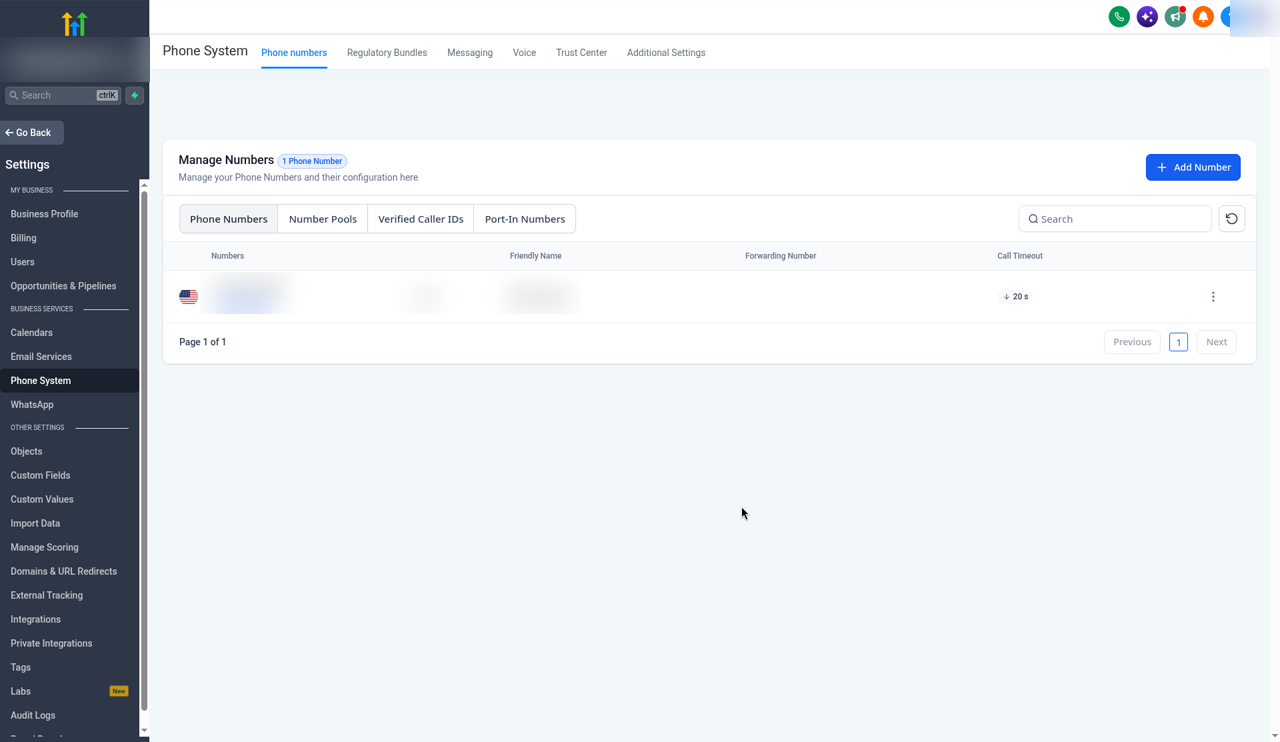
Settings > Phone System > Phone numbers tab > + Add Number - In the Buy your Number window, click Filter.
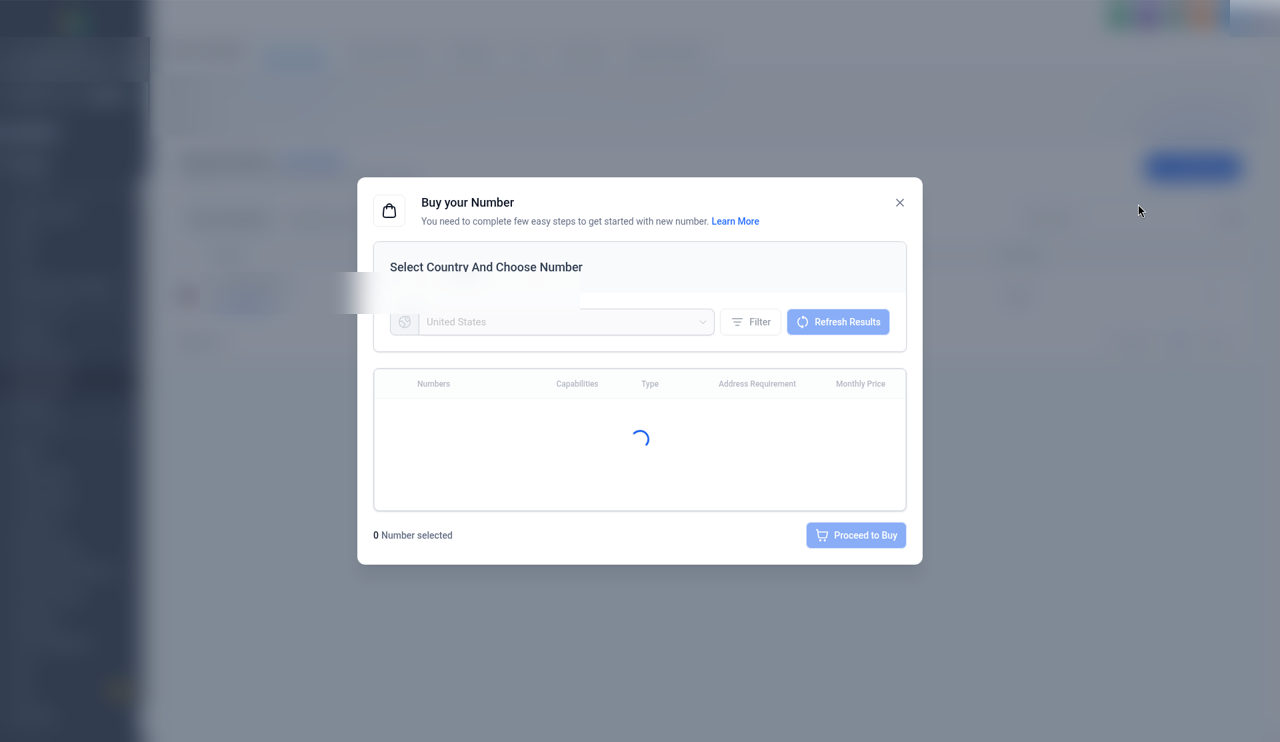
Buy your Number > Filter - In Filter: type your area code in Search By digit or phrases, set Match To: First part of number, keep SMS and Voice ticked, untick MMS, and under Number Type keep Local ticked and untick Toll Free. Click Apply.
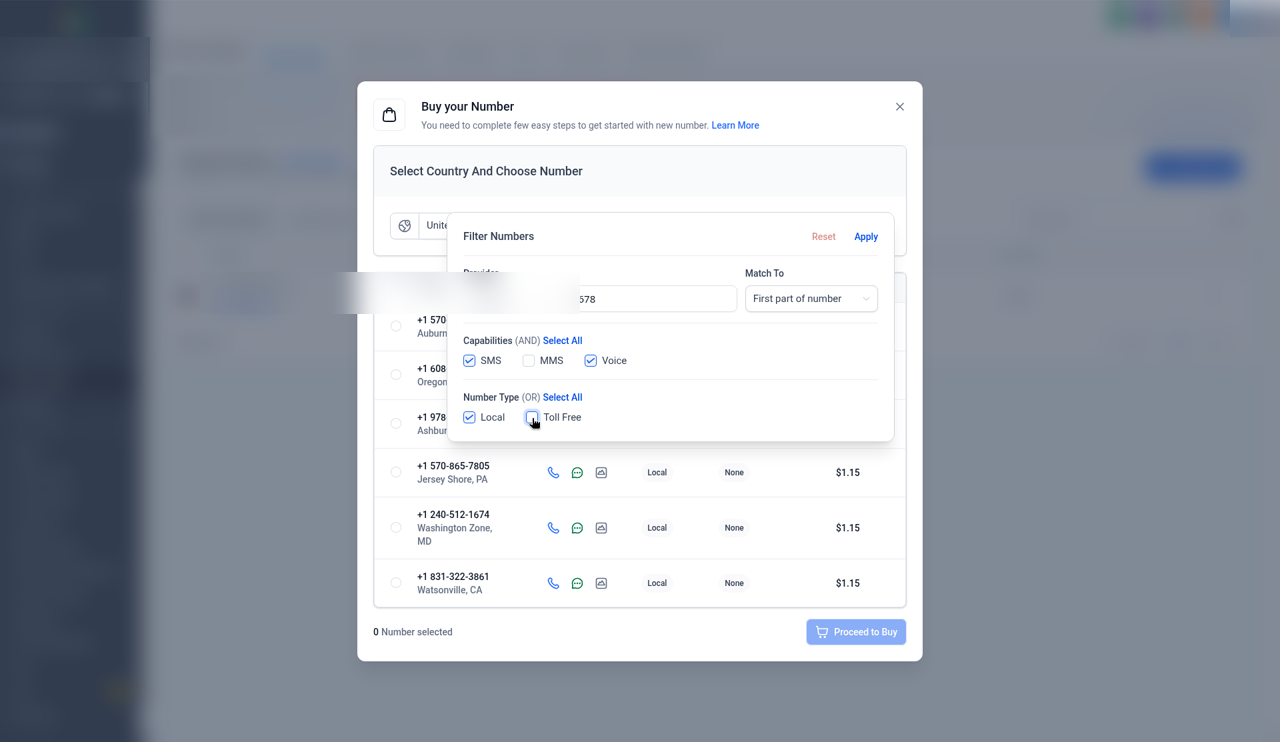
Filter: Match To First part of number; SMS and Voice ticked, MMS unticked; Local ticked, Toll Free unticked; Apply - Pick a Local number ($1.15/mo). Pick a number whose Type says Local, not Toll-free. The number's monthly fee is covered by AES.
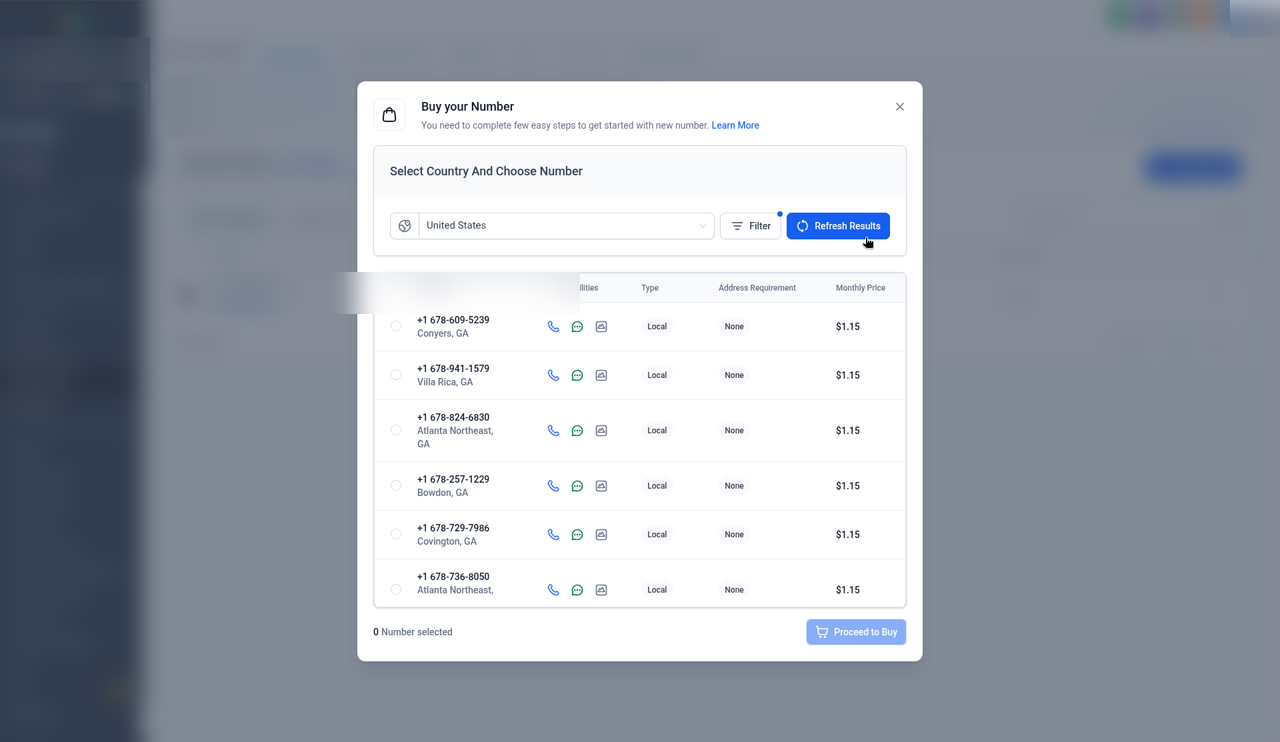
Pick a number whose Type says Local - Click Proceed to Buy and complete any prompts GoHighLevel shows.
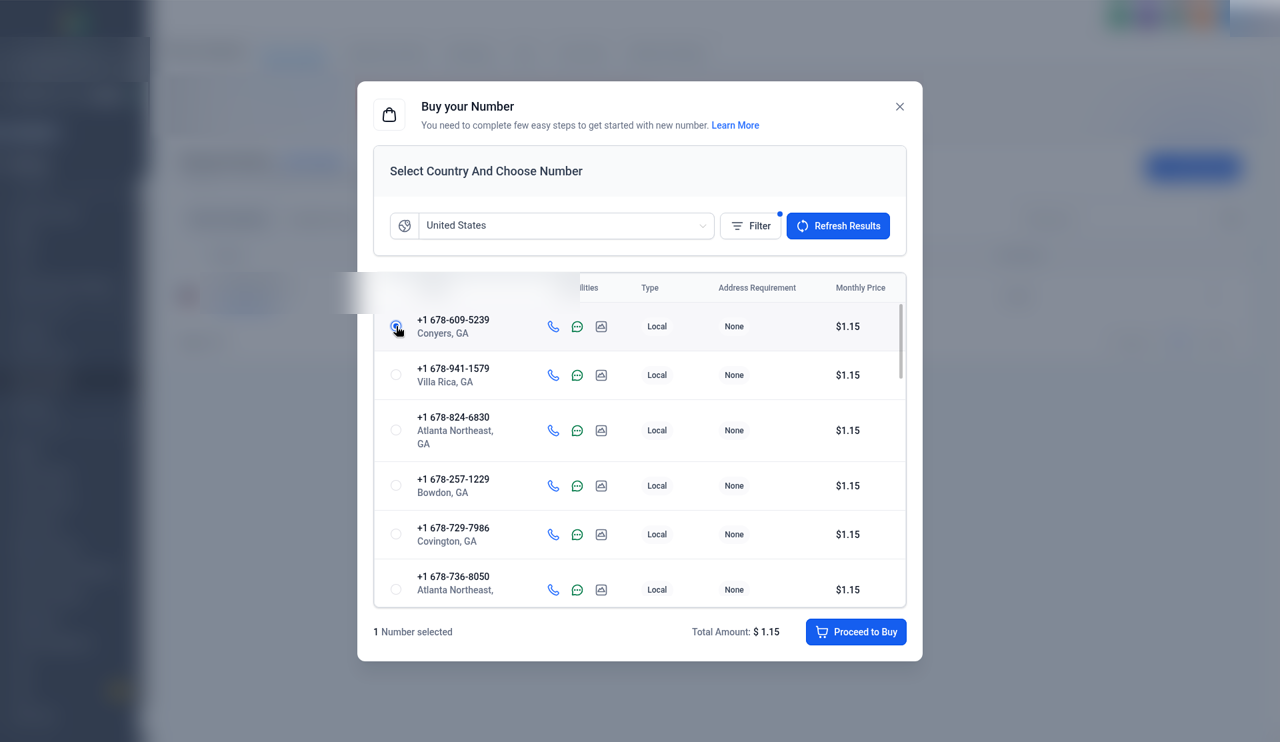
Proceed to Buy - Check that the new number shows on the Phone numbers tab.
You may see a texting (A2P) registration notice in your account. Texting starts once that registration clears, and FCS Support walks you through it. If GoHighLevel asks for identity verification at Proceed to Buy, that's the ID check from Step 1: complete it there.
What happens next
Once your number is added, your AI line is connected automatically, usually within an hour, and we email you when it's live. Your main business number stays exactly as it is; you choose when to forward calls to the AI number.
500 AI call minutes included per billing period. Each call can last up to 5 minutes. There are no overage charges for minutes. At 500 minutes, calls go to voicemail in your CRM until your billing date, then the AI line turns back on automatically. We email you at 80% and 100% of your 500 included minutes. Need more? Add 250 minutes for $75 anytime.
Pro includes texting on your AI number. It starts once your A2P registration (the carrier texting registration) clears, and FCS Support walks you through it. AES covers the A2P registration fees, so texting is included in Pro at no extra charge. 500 texts included per billing period. Texts over 500 are $0.07 each, billed with your monthly invoice. Outgoing texts pause at 750 per billing period until your billing date.
Stuck on "Pending"? That usually means the session was closed early. It updates on its own within about 24 hours. FCS Support can walk you through it, or you can email support@aieliteservices.com. Number added but your AI line isn't connected after a few hours? Tell FCS Support. Anything our AI support cannot fix right away is filed and re-checked automatically, and you get an email update within 48 hours if it is still open.